
Slide to arm
Start StayPut while you’re still holding your iPhone or iPad.
Motion alarm for iPhone, iPad & Apple Watch
Turn your iPhone or iPad into a motion alarm. Arm StayPut, put your device down, and it sounds the alarm the moment it moves. Now with an Apple Watch companion, Auto Protect and StayPut Emergency.
How it works
A simple protection flow designed to keep working while your iPhone or iPad is locked or in your pocket.
Start StayPut while you’re still holding your iPhone or iPad.
Position it where movement should be detected.
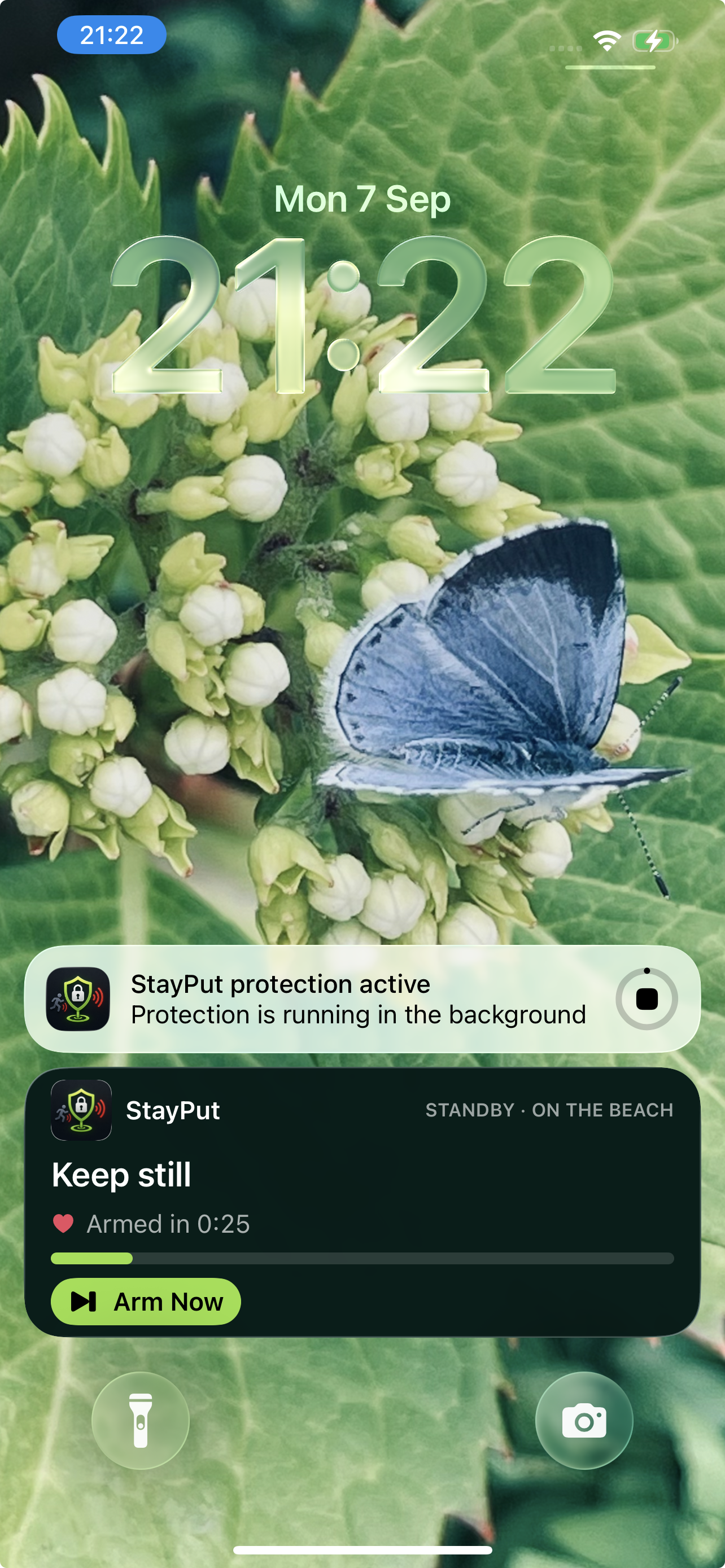
StayPut waits until the device has remained still. If it moves, the countdown starts again.
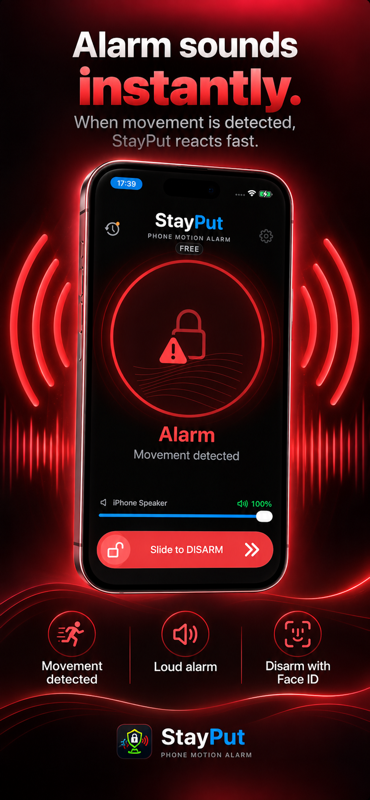
Once Armed, movement sounds the alarm. Authenticate with Face ID or Touch ID, then choose End Protection or Continue Protection at the disarm control — or disarm from your paired Apple Watch.
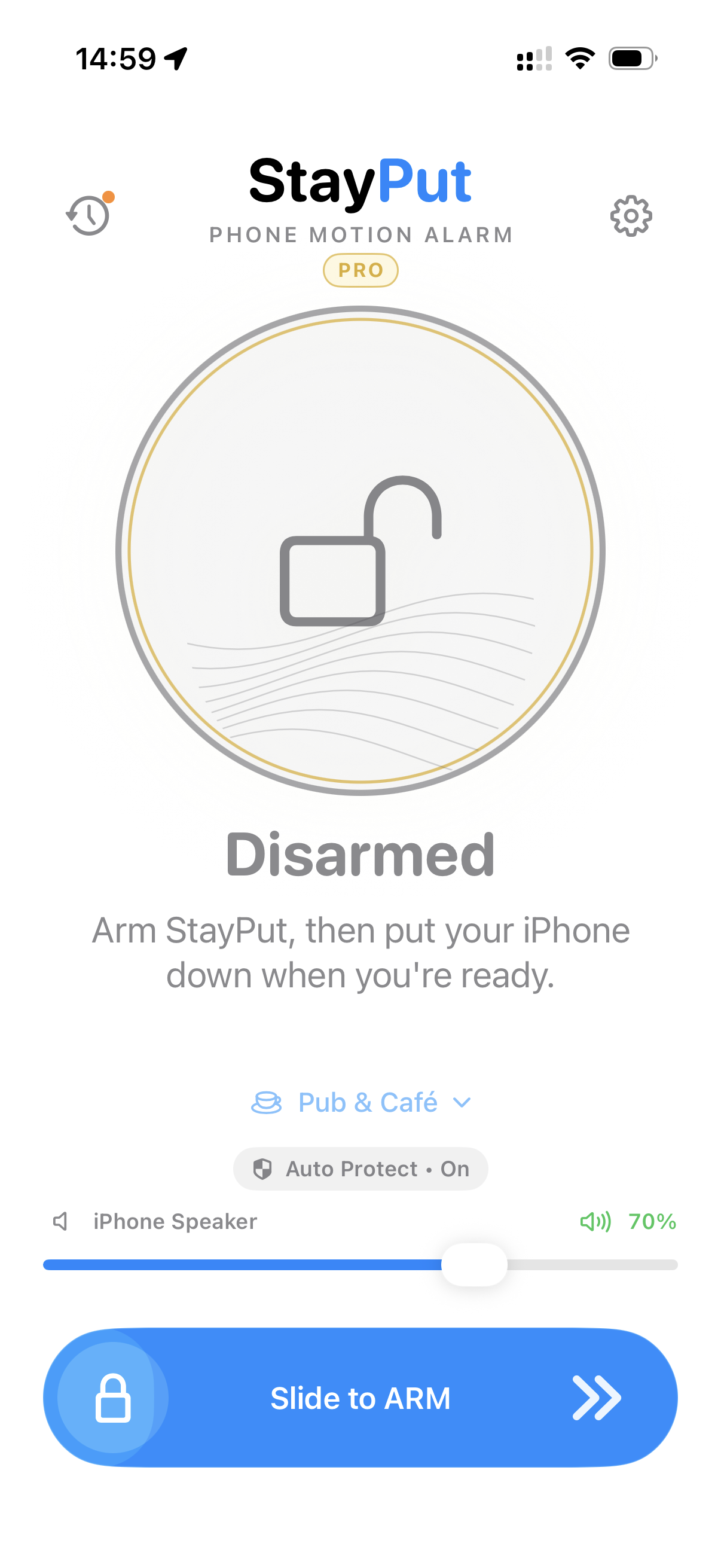
Auto Protect
Choose what happens when you disarm. On iPhone and iPad, StayPut’s unified disarm control lets you end protection or continue with another cycle — your call, every time.
Slide toward End Protection to finish, or toward Continue Protection to disarm the current cycle and return to Waiting for Stillness.
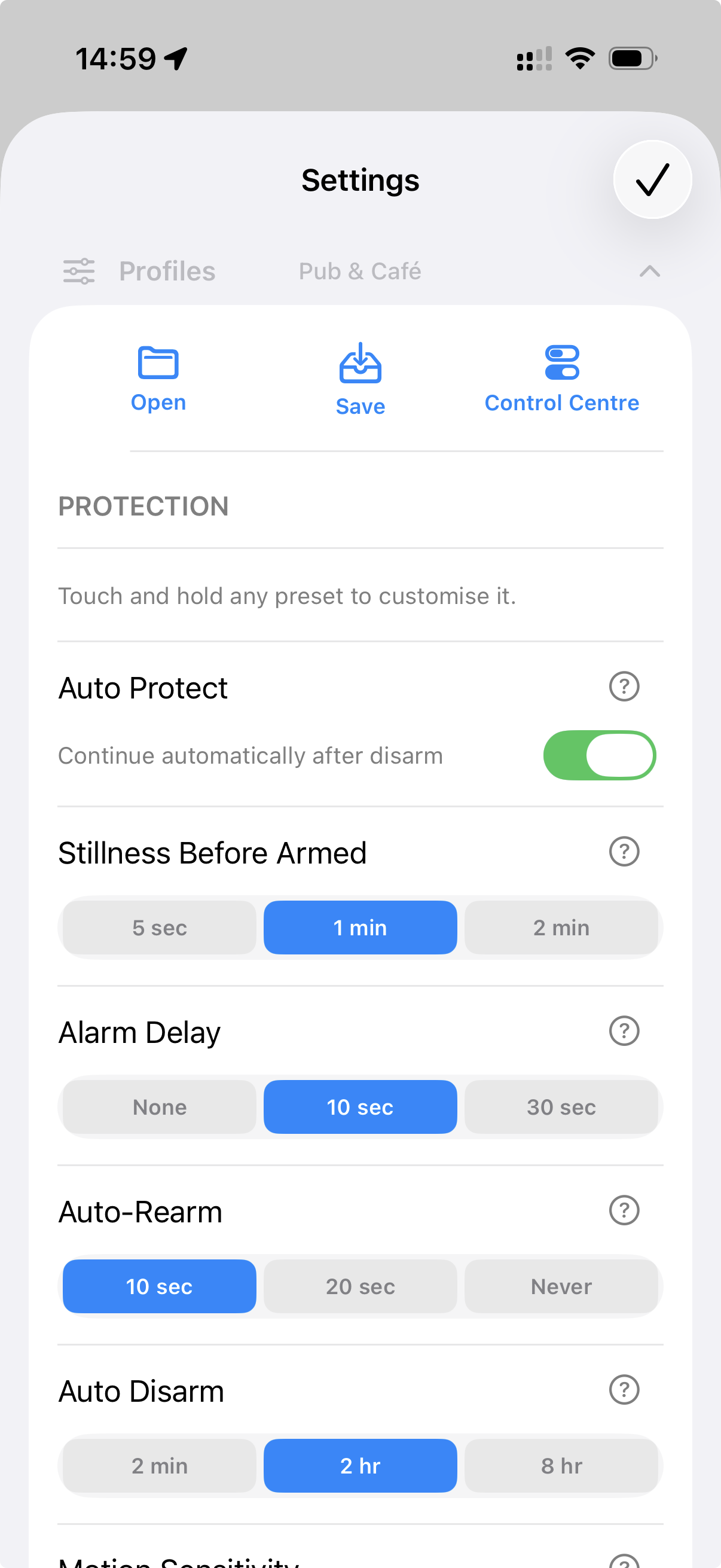
Auto Protect is a per-Profile setting, available on Free and Pro. Free protection still ends after 2 minutes per protection cycle. Your choice at the disarm control never changes the Profile’s Auto Protect setting.
Starter Profiles
Start with a Profile. Make it yours.
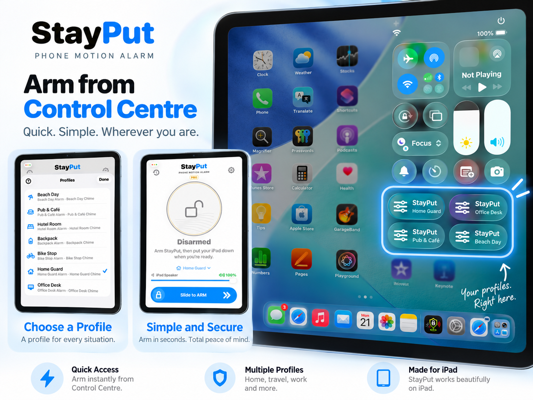
StayPut includes ready-made Profiles for common situations, with protection settings and sounds already configured. Choose one, use it as-is, or customise every detail. Some Starter Profiles arrive with Auto Protect switched on.
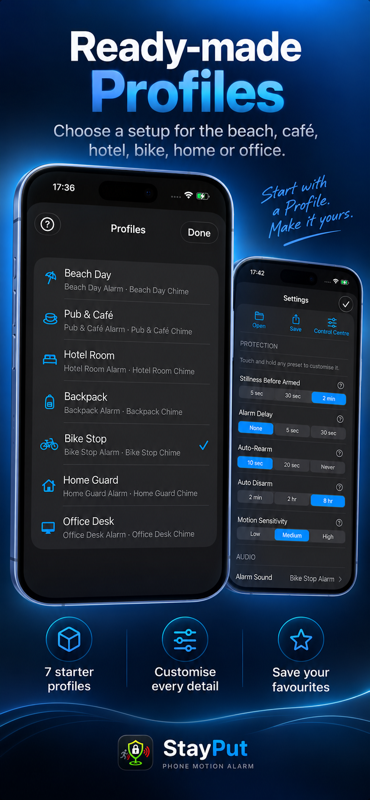
Protect your phone while you swim or relax by the water.
Designed for phones left on a table while you socialise.
Longer protection while your belongings stay in your room.
Detect movement of a bag left beside you or nearby.
Protect your phone or belongings when the bike is parked.
General-purpose protection around the home.
Step away from your desk without leaving your device unprotected.
Apple Watch
A dedicated Apple Watch companion for StayPut. Control protection, respond to the alarm and start StayPut Emergency without reaching for your iPhone.
StayPut Emergency is separate from Apple’s Emergency SOS. It doesn’t Auto-Rearm, doesn’t send Remote Alerts, and the Watch companion works alongside your iPhone or iPad — it isn’t a standalone cellular alarm.
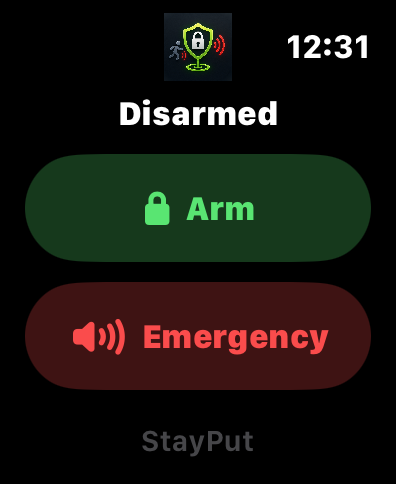
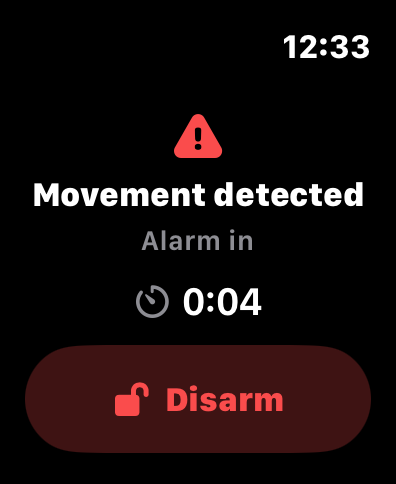
Current protection state is visible at a glance — from Waiting to Armed to Movement detected.
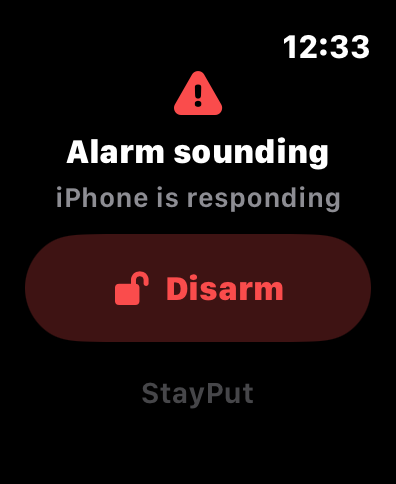
When the alarm is sounding, disarm from the Watch using the trusted paired-Watch path.
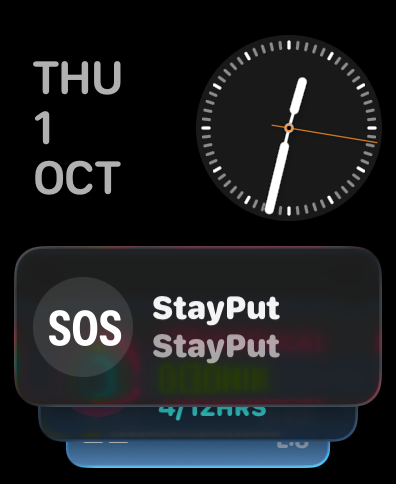
The StayPut SOS control starts Emergency when idle, or offers Disarm when an alarm is active.
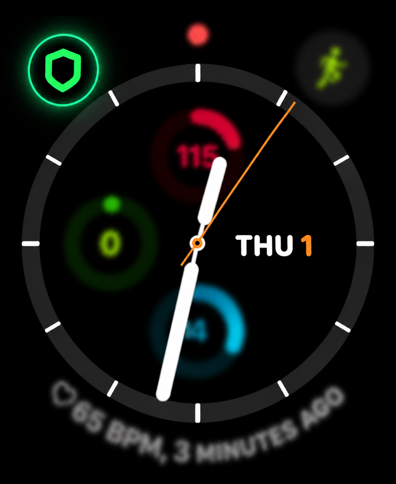
Add the StayPut complication to launch the Watch app with a tap. It’s a shortcut, not a direct disarm.
Control Centre
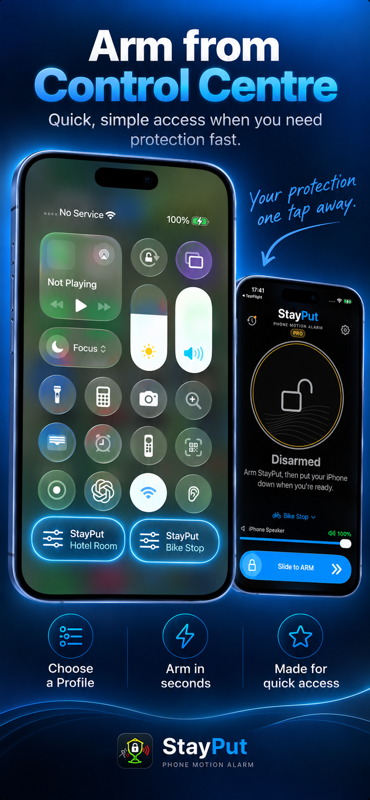
Add StayPut to iPhone or iPad Control Centre and arm from anywhere. The standard control uses your current Profile or Custom setup. Enable Control Centre on individual saved Profiles and you can add dedicated controls for setups like Hotel Room or Bike Stop.
Tapping Disarm from Control Centre opens StayPut and still requires Face ID or Touch ID, keeping protection secure.
Remote Alerts
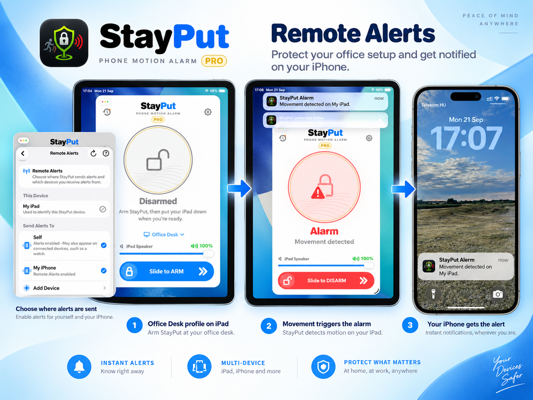
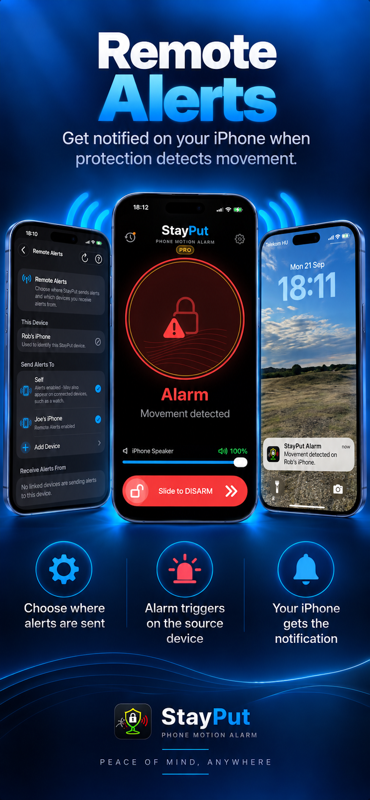
With StayPut Pro, a protected device can send a Remote Alert to another StayPut device. Receiving Remote Alerts is free. Leave your iPad with your belongings, arm StayPut, and carry your iPhone. If the iPad detects movement, it sounds its alarm and your iPhone can receive a Remote Alert.
The audible alarm always sounds on the protected device. StayPut Emergency does not send Remote Alerts.
Everyday moments
Use StayPut as an audible deterrent while you’re nearby in the water.
Leave your phone on the table and get a loud warning if it’s picked up.
Longer protection while your belongings stay behind. Pair with the Hotel Room Starter Profile.
Get an audible warning if your bag is lifted or moved while you’re queuing or seated.
Place your iPhone securely with your bike and get an audible warning if it’s moved.
Step away from your desk without leaving your iPhone or iPad unprotected.
If your device is inside a bag, connect a Bluetooth speaker and StayPut can sound the alarm through that instead. StayPut shows the current alarm output before you arm.
Lock Screen & Dynamic Island
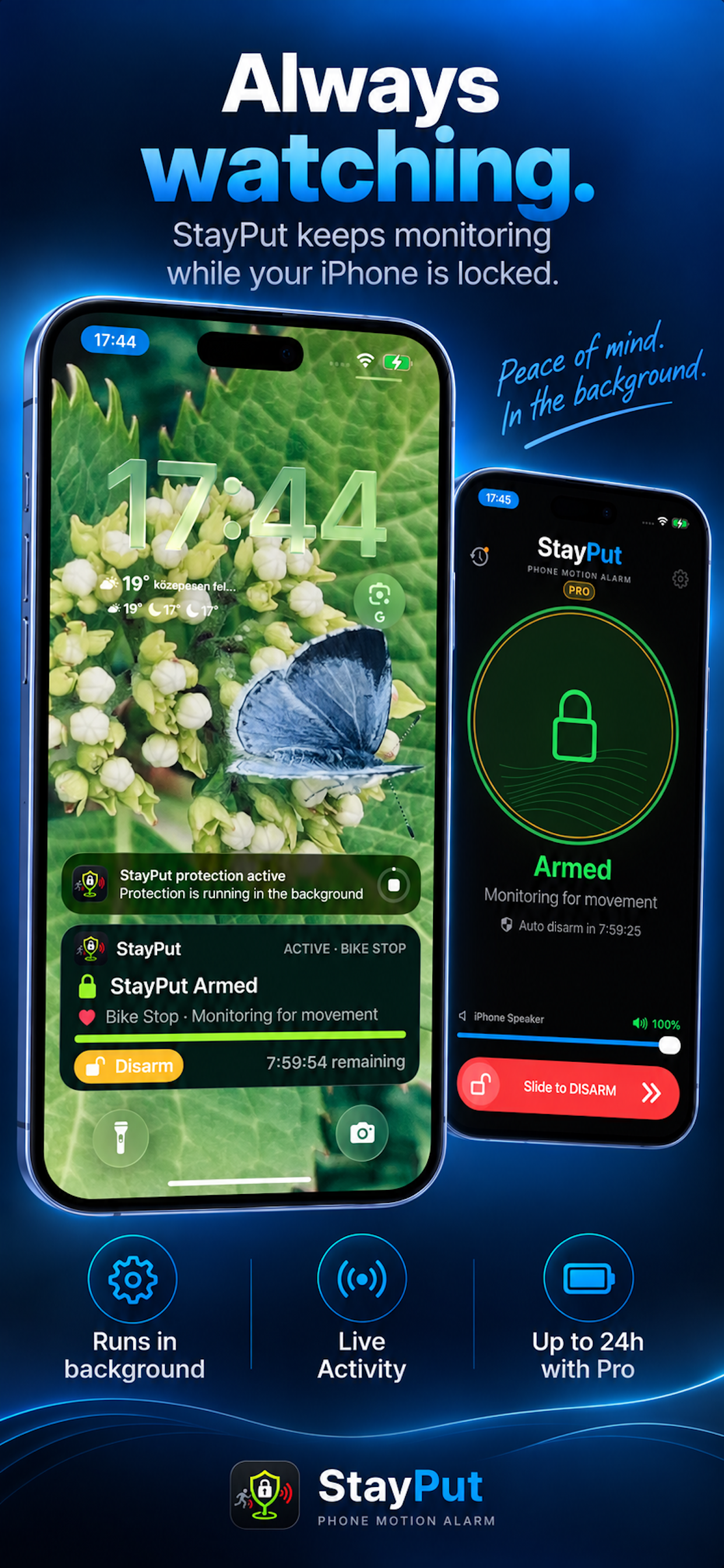
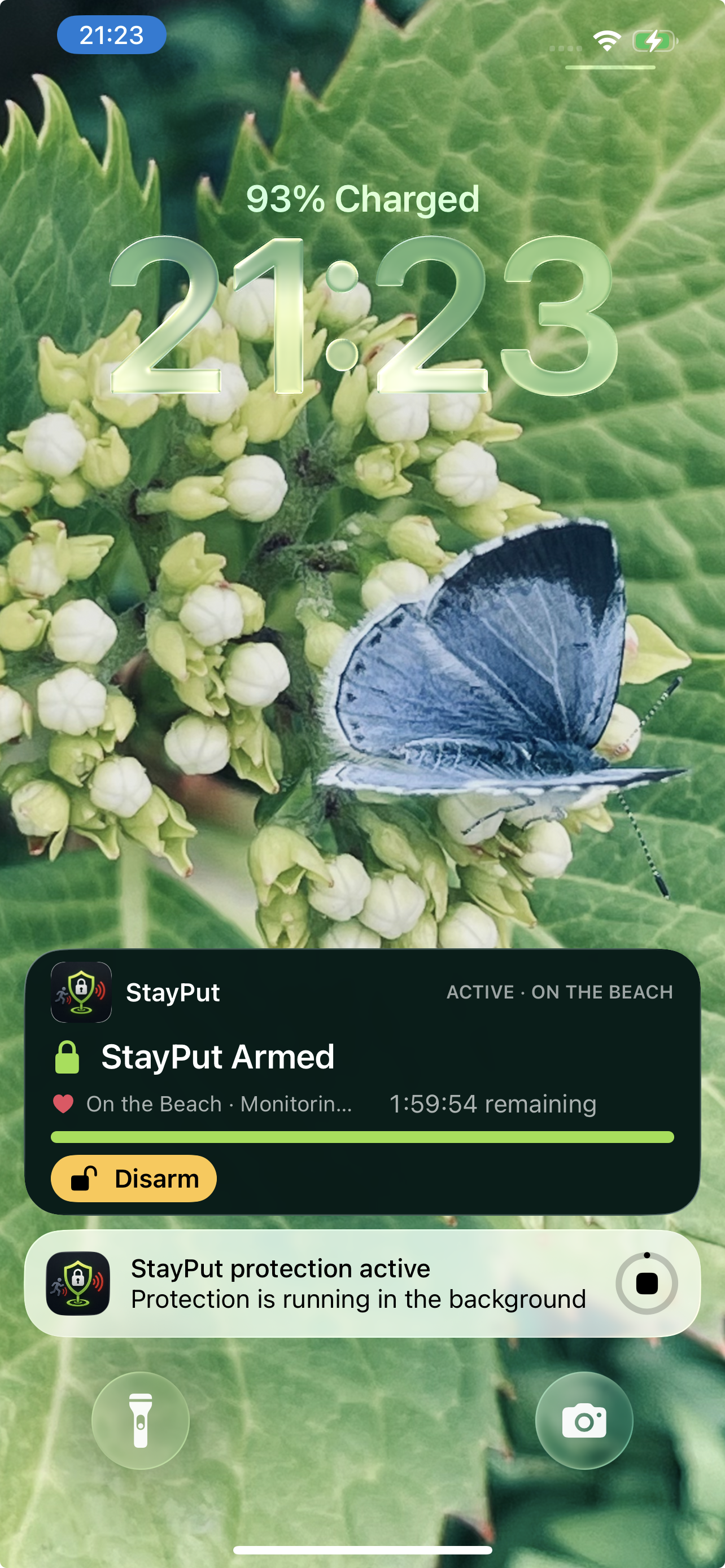
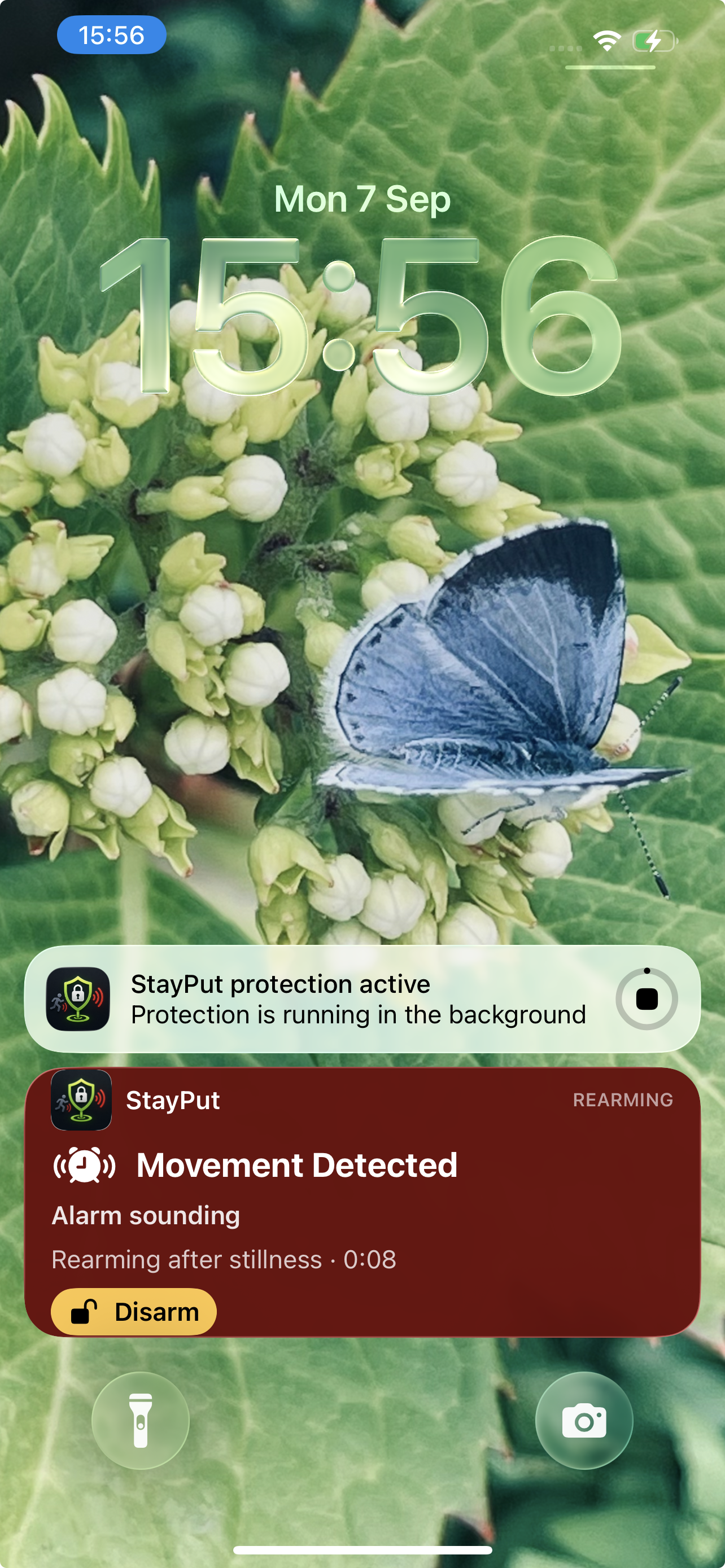
Once protection starts, StayPut is designed to continue operating while your iPhone or iPad is locked or the app is in the background. A Live Activity shows the current protection state, countdowns and relevant controls directly on the Lock Screen.
Version 1.5 brings tighter synchronisation between StayPut’s internal state, the Live Activity and the Dynamic Island, so what you see matches what’s really happening.
If Live Activities are disabled or unavailable, StayPut automatically falls back to informative iOS background status updates while protection continues.
Sounds & disarming
Record your own alarm (up to 30 seconds) or heartbeat chirp (up to 10 seconds) and save them to your sound libraries. Rename or delete recordings any time; saved Profiles follow renames automatically.
Pick a Heartbeat Sound and Heartbeat Interval separately. Standard 10-second, 1-minute and 5-minute presets are built in; hold a preset to customise anywhere from 1 second to 5 minutes.
While protection is active, disarming on iPhone or iPad uses owner authentication with Face ID or Touch ID. A paired Apple Watch is already trusted and skips the biometric prompt.

StayPut Pro
StayPut Pro is a one-time purchase. No subscription.
Your Profiles can be configured for longer durations — such as 2 hours or 8 hours — on Free too. The Free runtime limit still ends the protection cycle at 2 minutes.

Feedback
Have an idea, suggestion, or feature request? We’d love to hear it.
Download & Support
Available on the App Store as a universal download. For help, visit the Support Centre.